At its core, a self-hosted password manager is a system you install and manage on your own server. This gives you complete ownership and control over your sensitive login data. Instead of entrusting your digital vault to a third-party company, you become its sole guardian.
Why You Need Full Control Over Your Digital Vault
Think of your passwords as the keys to your home, your bank, and your office. Would you rather keep them in a storage locker run by a company that holds a master key, or would you prefer your own high-security safe at home where you're the only one with access? That's the fundamental difference a self-hosted password manager makes.
This approach puts you firmly in the driver's seat of your own digital security. It’s designed to ensure no outside entity can access, lose, or misuse your most sensitive information, granting you what's known as complete data sovereignty.
The Erosion of Trust in Cloud Services
Let's face it, the convenience of cloud services has been tarnished by a string of high-profile security breaches. When a major password manager company gets compromised, the private data of millions of users is suddenly at risk. These incidents have understandably shaken people's confidence and pushed many to look for alternatives where they aren't just a customer, but the owner.
The growing shift towards self-hosting is a direct response to this distrust. It’s all driven by a simple, powerful desire: to eliminate the third-party risk factor entirely. When you host your own password manager, the security of your data rests solely on the protections you put in place.
By self-hosting, you fundamentally change the security equation. You are no longer hoping a company's security holds up; you are building your own fortress and controlling the gates.
Taking Charge of Your Digital Identity
For anyone serious about protecting their digital life, this model offers some pretty compelling advantages:
- Complete Privacy: Your encrypted vault and all its metadata live on hardware you control. No third party can analyse your usage patterns or access your data, even in its encrypted state.
- Immunity to Third-Party Breaches: If a major cloud password manager service is hacked, your data remains completely untouched, tucked away safely on your own server.
- Customisation and Control: You get to configure the server environment, implement specific security measures, and integrate it with other services exactly as you see fit.
This isn't just a niche trend; it's a real market shift, especially in security-conscious regions. In Germany, for example, the password management market is projected to hit USD 0.23 billion by 2026, spurred on by strict data protection laws. After a major 2022 breach at a popular cloud provider exposed user vaults, trust plummeted, pushing organisations toward self-hosted solutions for greater control. Research from the full password management market report on Mordor Intelligence shows that in regulated sectors like German banking and healthcare, adoption of self-hosted tools has now spiked to over 50% as firms scramble to avoid similar security failures.
Ultimately, choosing a self-hosted password manager is a declaration of digital independence. It's a proactive step for individuals and businesses who've decided that the security of their most critical data is simply too important to outsource.
Self-Hosted vs Cloud Password Managers
Choosing between a self-hosted password manager and a cloud-based service boils down to one crucial trade-off: control versus convenience. Each approach is built on a different philosophy for managing your most sensitive data, and the best choice really depends on what you value most.
Think of a cloud password manager like renting a high-security locker at a bank. You're trusting the bank to handle the building's security, manage who gets in, and keep everything running smoothly. It’s incredibly convenient—you pay a fee, and they take care of all the heavy lifting, from security updates to monitoring.
On the other hand, a self-hosted password manager is like buying your own top-of-the-line safe and installing it in your own home. You're in charge of everything: picking the right safe, securing your house, and being the only one with the key. It’s more work, no doubt, but it gives you absolute authority over your vault.
This flowchart neatly sums up the core decision you're facing.
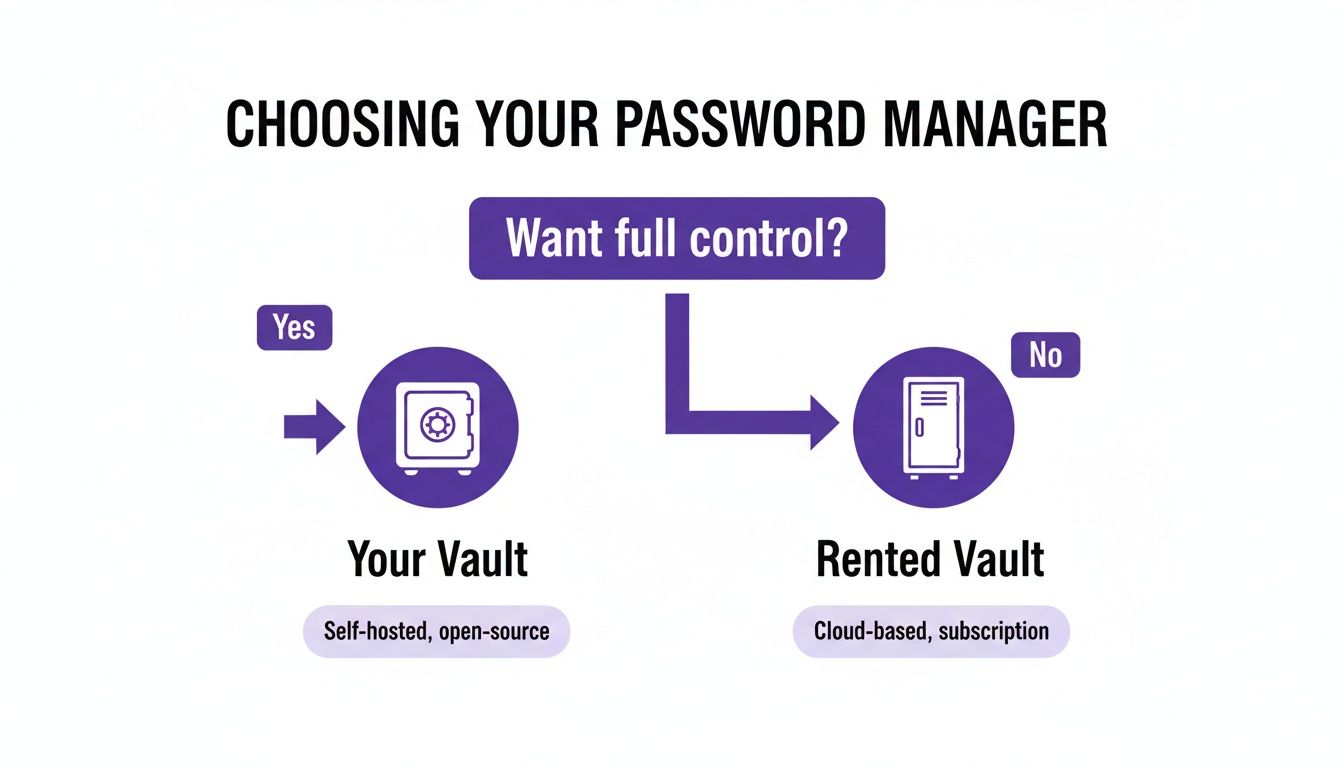
As you can see, the choice hinges on whether you prioritise total control and data ownership or prefer the sheer simplicity of a managed service.
Understanding the Key Differences
To make a smart decision, it helps to break down how each model stacks up in a few critical areas. It's not that one is definitively "better" than the other; their strengths and weaknesses just lie in different places. Let's dig into those distinctions.
Security and Data Privacy
With a cloud service, your security rests on the provider's infrastructure and their promise to protect user data. You're putting your trust in their security teams and their encryption methods. While top-tier providers like Bitwarden or 1Password have fantastic security, their centralised nature makes them a juicy target for attackers.
A self-hosted password manager flips this dynamic on its head. Your data's security is entirely in your hands. You completely eliminate the risk of a third-party data breach exposing your vault, but you also inherit the full responsibility of securing your server, applying updates, and setting up firewalls correctly.
Your data lives on your hardware. This means no third party can analyse your metadata, access your encrypted vault, or be compelled to hand over your information.
Maintenance and Accessibility
This is where cloud services really shine. They demand zero maintenance from you. Updates are rolled out automatically, the servers are always on, and you can get to your vault from anywhere with an internet connection without any faff.
Self-hosting, however, is a hands-on affair. You're responsible for:
- Initial Setup: Deploying the software on your server.
- Ongoing Updates: Regularly applying security patches and software updates.
- Uptime: Making sure your server is running and accessible when you need it.
- Backups: Setting up and testing a solid backup plan.
When it comes to accessibility, a self-hosted instance is as flexible as you make it. You can configure it for remote access from anywhere in the world or lock it down to your local network for maximum security.
Self-Hosted vs Cloud A Head-to-Head Comparison
To help you properly weigh the pros and cons, this table gives a direct comparison of the most important factors when choosing between a self-hosted and a cloud-based password manager.
A detailed breakdown of the key differences between self-hosted and cloud-based password management solutions to help you choose the right approach.
| Feature | Self-Hosted Password Manager | Cloud-Based Password Manager | | :----------------------- | :---------------------------------------------------------------------- | :------------------------------------------------------------------- | | Data Control | Complete: Your data resides on your own hardware. You have full ownership. | Limited: Your encrypted data is stored on third-party servers. | | Security Model | Your Responsibility: You are in charge of server hardening, updates, and backups. | Provider's Responsibility: You trust the provider's security expertise and infrastructure. | | Maintenance | High: Requires initial setup, ongoing updates, and troubleshooting. | None: The provider handles all maintenance, updates, and server uptime. | | Cost Structure | Variable: Potential one-time hardware costs and ongoing hosting fees (e.g., VPS). | Subscription-Based: Typically a recurring monthly or annual fee. | | Accessibility | Flexible: Can be configured for local-only access or remote access from anywhere. | Universal: Accessible from any device with an internet connection by default. | | Privacy | Maximum: No third-party access to your vault or its metadata. | Dependent: Relies on the provider's privacy policy and data handling practices. |
Ultimately, there’s no single right answer. If you're a tech-savvy individual who values complete control and is willing to put in the work, self-hosting is an incredibly powerful option. But if you prioritise convenience and prefer to let experts handle security, a reputable cloud service is a perfectly valid and secure choice.
Alright, theory's out of the way. Let's get our hands dirty. The open-source community has cooked up some brilliant self-hosted password managers, and each one has its own personality and strengths. Figuring out the right fit really comes down to your technical comfort level, the features you actually need, and how you want to handle your data.
We're going to zero in on two of the most popular and battle-tested options out there. These two represent opposite ends of the spectrum: one offers a full-blown, server-based experience, while the other is a dead-simple, file-based system that gives you absolute, direct control.
Vaultwarden: The Community-Driven Powerhouse
Ever wished you could have the slick, modern experience of a service like Bitwarden, but running on your own server? That's exactly what Vaultwarden delivers. It’s a community-built, open-source server that works perfectly with the official Bitwarden apps for your desktop, browser, and phone.
What makes it so special is that it’s written in Rust, which makes it incredibly lightweight. You can run it on a tiny, low-power computer like a Raspberry Pi or a cheap virtual private server (VPS) without it even breaking a sweat.
Vaultwarden is a fantastic choice for:
- Beginners: The setup, especially with Docker, is surprisingly straightforward. It’s one of the easiest ways to dip your toes into self-hosting.
- Families or Small Teams: It handles multiple users and secure sharing like a champ, making it a perfect replacement for a family or business cloud plan.
- Anyone Wanting a Polished Experience: You get to use the official, well-designed Bitwarden apps, giving you a seamless feel across every device you own.
Because it’s so easy to get running and offers all the same features as the official service, Vaultwarden is my top recommendation for most people just starting their self-hosting journey.
The real beauty of Vaultwarden lies in its balance. It delivers a premium, user-friendly experience without the premium price tag or the privacy trade-offs of using a third-party cloud.
This model has really taken off, especially in places where data sovereignty is a big deal. Germany's IT sector, for example, is all-in on self-hosted tools. With over 80,000 IT firms constantly fending off cyber threats, the shift to on-premises control is picking up speed. A 2024 poll found that a whopping 58% of mid-sized German IT companies had moved to self-hosted Bitwarden (often using Vaultwarden), pointing to transparent encryption as the main reason. This shift is a huge factor in why Germany's IT and telecom sector is projected to claim 22.53% of the global password management market by 2026. You can find more password management market trends on Fortune Business Insights.
KeePassXC: The Offline-First Veteran
For those who put simplicity and total control above all else, the KeePass ecosystem is an absolute classic. Unlike Vaultwarden, KeePass isn't a server. Instead, your entire vault of passwords is a single, heavily encrypted database file (with a .kdbx extension).
KeePassXC is a modern, cross-platform app that lets you manage these database files. You just create the file, add your passwords, and you're done. Your vault becomes a portable file you can stick on a USB drive, keep on your computer, or sync using a separate service you trust.
This approach has some pretty unique advantages:
- Ultimate Simplicity: There’s no server to set up, update, or worry about securing. Your entire vault is one file, so making a backup is as simple as copy-and-paste.
- Offline by Default: Your password database is inherently offline and secure. It only ever touches the internet if you deliberately place it in a synced folder.
- Total Syncing Freedom: You get to decide exactly how to sync your database file. Use a cloud service like Dropbox, a self-hosted platform like Nextcloud, or a peer-to-peer tool like Syncthing. The choice is all yours.
This model is a perfect fit for:
- Security Purists: Anyone who wants an "air-gapped" or offline-first solution with zero network-facing parts for an attacker to target.
- DIY Enthusiasts: People who love building their own custom setup by pairing KeePassXC with their favourite syncing tool.
- Users with Minimal Needs: If you don’t need to share passwords with others and mainly use one or two devices, KeePassXC is brilliantly simple and gets the job done.
It definitely requires a more hands-on approach to syncing, but the KeePassXC method gives you a level of control and transparency that’s hard to beat, making it a trusted and timeless choice for managing your passwords yourself.
Choosing the Right Hosting Environment
Deciding where to run your self-hosted password manager is a critical first step. Think of it like choosing the plot of land for your digital fortress—each location comes with its own set of advantages, costs, and responsibilities. Let's walk through the three most popular options to figure out which one makes the most sense for you.
The key is to find that sweet spot between your technical comfort zone, your budget, and your security goals. Whether you’re just looking for a simple setup at home or you're a seasoned pro aiming for maximum performance, there's a path that fits.
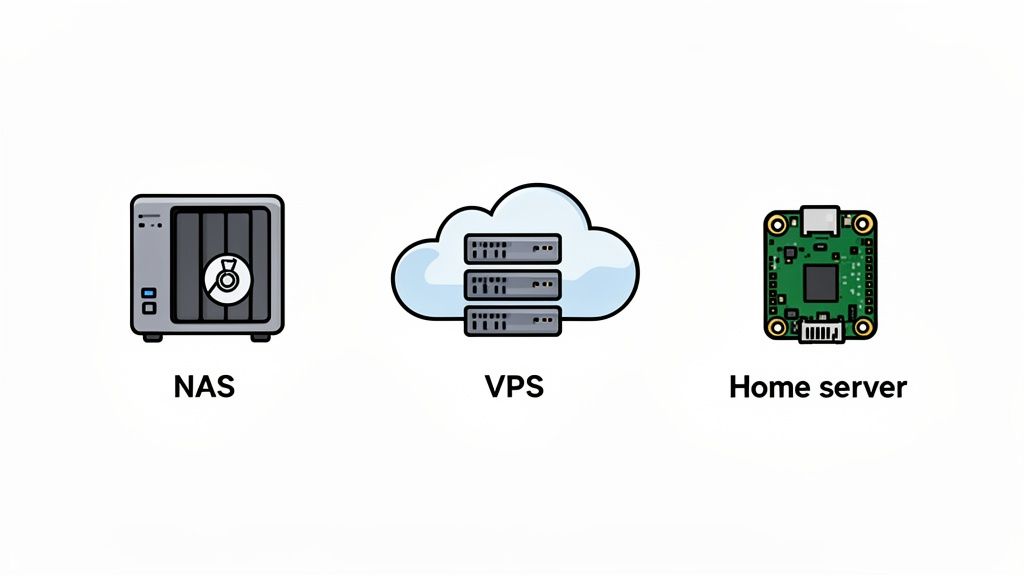
Before we dive in, it’s worth mentioning Docker. No matter what hardware you end up with, I strongly recommend using it. Docker wraps up software into tidy, self-contained packages, making installation and updates a breeze. It’s a game-changer that makes the whole process far less intimidating.
On a Network Attached Storage (NAS) Device
For many people, a Network Attached Storage (NAS) device from brands like Synology or QNAP is the friendliest way to get started with a self-hosted password manager. These are essentially small, efficient servers built for your home, complete with a point-and-click interface that feels more like a desktop OS than a server.
- Who it’s for: Beginners and home users who value a simple, straightforward setup.
- Pros: Installation is often as easy as finding the app in a built-in app store. Since the device is already on your home network, local access is fast and inherently secure.
- Cons: Performance can be a bit sluggish, and making it accessible from the internet requires careful network configuration. Getting this wrong can open up serious security holes.
If your main goal is to manage passwords for your household within the walls of your home, a NAS is a fantastic, low-hassle choice.
On a Virtual Private Server (VPS)
A Virtual Private Server (VPS) is like renting your own private, powerful computer in a data centre. You get a clean slate to build whatever you want, without any of the hardware headaches. Providers like DigitalOcean, Linode, or Hetzner offer affordable plans to get you started.
A VPS gives you the best of both worlds: total control over your server environment, but without having to buy or maintain any physical machines yourself.
This is the way to go if you need reliable access to your password vault from anywhere in the world. The provider takes care of the physical security, internet connection, and power, leaving you to focus on the software.
- Who it’s for: Anyone who needs reliable remote access and is comfortable working with a command line.
- Pros: Fantastic uptime, global accessibility, and performance that can grow with your needs. It's generally easier to secure a professionally managed server than a home network.
- Cons: It comes with a monthly fee and definitely requires more technical know-how to set up and manage securely than a NAS.
On a Home Server or Raspberry Pi
For the true DIY enthusiast, there's nothing quite like running your own setup on a dedicated home server. This could be anything from a tiny, power-sipping Raspberry Pi to an old desktop you've given a new lease on life. This route gives you absolute control.
You’re responsible for everything—the hardware, the operating system, the network security. It’s the ultimate expression of data ownership, where every piece of the puzzle is under your direct control.
- Who it’s for: Tech hobbyists, privacy purists, and anyone who loves to get their hands dirty.
- Pros: A one-time hardware cost, complete privacy, and an incredible learning opportunity.
- Cons: This is by far the most involved option. You’re on the hook for everything, from hardware failures and power cuts to defending your home network from online threats.
Hardening Your Self-Hosted Security
Getting your self-hosted password manager up and running is a great first step, but the real work starts now. You've essentially built the vault; it's time to reinforce the walls, install the security cameras, and turn it into an impenetrable fortress for your digital life. These aren't just optional tweaks—they're the non-negotiable layers of protection that make self-hosting a genuinely secure choice.
Think of it like building a new house. The software is the basic structure, but right now, the doors are unlocked, and the windows are wide open. Hardening is the process of locking everything down, making sure only you can get inside and that your data is safe from whatever comes its way.
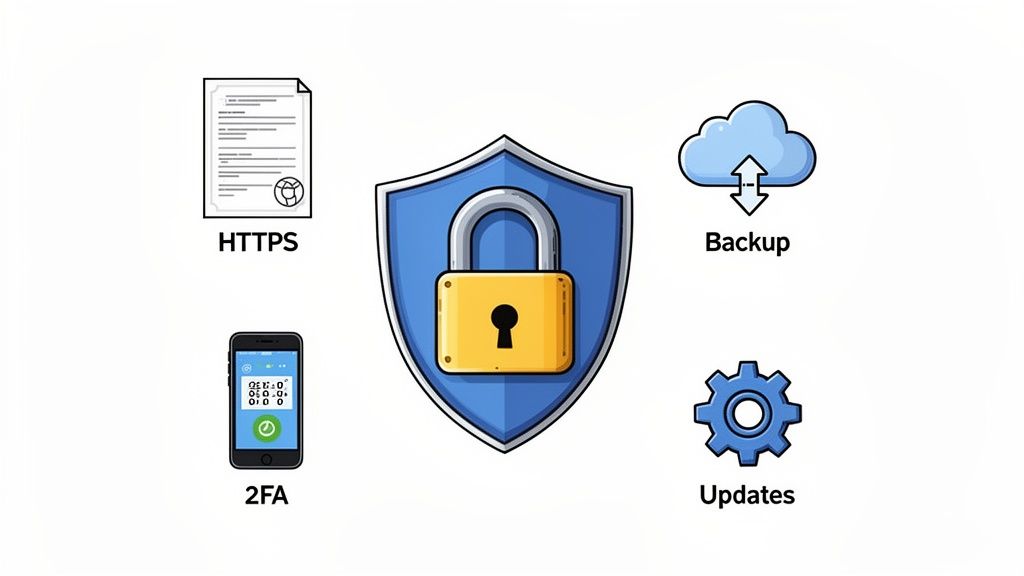
Let's walk through the essential practices that will transform a standard installation into a resilient, secure system. Each of these steps is a critical link in your personal security chain.
Encrypt All Traffic with HTTPS
Your first and most critical job is to enable HTTPS. Without it, every piece of data travelling between your phone or computer and your server—including your master password at login—is sent in plain text. That’s like shouting your secrets across a crowded room for anyone to hear.
Setting up a valid TLS certificate encrypts all that traffic, scrambling it into unreadable gibberish for anyone snooping on the network. Thankfully, modern tools like Nginx Proxy Manager or Caddy have made this incredibly simple. They can even automatically get and renew free certificates from Let's Encrypt for you.
Neglecting HTTPS is the digital equivalent of leaving the master key to your vault under the doormat. It is the single most important security measure you must implement.
Implement a Bulletproof Backup Strategy
Your password vault is now one of the most critical pieces of data you own. A server failure, a corrupted file, or one simple mistake could wipe it out for good if you don't have a solid backup plan. A proper strategy isn't just about making copies; it's about making them automated, regular, and redundant.
A good rule of thumb is the 3-2-1 rule:
- Keep three copies of your data.
- Store them on two different types of media.
- Ensure one copy is stored off-site.
For example, you could have the live data on your server, an automated nightly backup to a separate hard drive on your NAS, and another encrypted backup that syncs to a cloud storage provider. The goal is to make sure no single point of failure can ever destroy your data.
Enforce Strong Authentication
The front door to your vault is your master password. A weak, easily guessable password completely undermines all your other security efforts. It absolutely must be long, unique, and complex.
Beyond that, you need to enable Two-Factor Authentication (2FA). This adds a crucial second layer of security, requiring a temporary code from an app on your phone (or a physical key) in addition to your password. So, even if an attacker somehow gets your master password, they still can't get in without that second factor.
Maintain a Strict Update Schedule
Software vulnerabilities are discovered all the time. Developers are constantly releasing patches to fix these security holes, but those patches only protect you if you actually apply them. Running outdated software is like knowingly leaving a back door unlocked for attackers.
Get into the habit of checking for and applying updates to your password manager software, the underlying operating system, and any Docker containers at least once a month. Many systems can be configured to update automatically, which is a fantastic way to ensure you're always protected against the latest known threats.
This proactive approach is becoming standard practice, especially in security-conscious markets. In Germany, for example, high-profile breaches have pushed more people towards self-hosted solutions, with a Bitkom survey showing that 62% of organisations were nudged towards open-source options following BSI advisories. As hybrid work expands the attack surface, the control offered by a self-hosted password manager is more valuable than ever. You can find a deeper look into these market trends in this password manager industry analysis on TechSci Research.
Monitor Your System
Finally, you can't protect what you can't see. Basic monitoring gives you insight into who is trying to access your server and what's happening on your network. Setting up a simple tool like fail2ban can automatically block IP addresses that repeatedly fail to log in, stopping brute-force attacks in their tracks.
Make a point to regularly check your server's logs for any unusual activity. This might seem a bit advanced at first, but it's a vital habit for maintaining long-term security. By actively hardening and monitoring your instance, you shift from being just a user to becoming the vigilant guardian of your own digital domain.
Frequently Asked Questions
Diving into self-hosting can feel a bit like jumping into the deep end, so it's natural to have a few questions. Let's tackle some of the most common ones to clear things up and help you decide if it's the right move for you. We'll get into the real-world security, what it takes to keep things running, and what to do when your server inevitably has a bad day.
Is Self-Hosting Really More Secure Than a Cloud Service?
It absolutely can be, but here’s the catch: the security is 100% on your shoulders now. A well-managed self-hosted instance completely takes the risk of a third-party data breach off the table. Your password vault isn't sitting in a massive, centralised database that's a prime target for hackers.
On the flip side, you're now responsible for not messing it up. If you're diligent about following security best practices—locking things down with HTTPS, using two-factor authentication (2FA), and keeping every piece of software up to date—you can build a fortress. You control every single moving part, which means you don't have to trust anyone else with your most sensitive data.
What Happens If My Server Fails?
This is a big one, and the answer comes down to one thing: your backup plan. You will only lose your passwords if you haven't set up a reliable and automatic backup routine. That’s why we stress that regular, automated backups are a non-negotiable part of any self-hosting setup.
Without a tested backup, a server failure could be catastrophic. With a good backup, it’s just an afternoon’s inconvenience.
A solid strategy means setting up daily or weekly backups of your password database. Just as important, you need to store those backups somewhere completely separate and secure. If your main server dies, you just spin up a new instance, pull your data from the latest backup, and you're back in business with very little downtime.
How Much Technical Skill Is Truly Required?
Honestly, the bar is lower than it's ever been, thanks mostly to tools like Docker. If you're comfortable following a detailed guide and aren't afraid of a few basic command-line prompts, you can get a fantastic service like Vaultwarden up and running in less than an hour.
If you go the route of hosting on a NAS device, it's even simpler. Many have app stores where installing a password manager is just a matter of a few clicks. While the more advanced stuff like security hardening and troubleshooting definitely helps to have deeper tech knowledge, the basic setup is well within reach for any enthusiast willing to learn and handle the ongoing upkeep.
At Acquispect, we believe proof beats promises every time. A self-hosted password manager gives you cryptographic proof of ownership over your data. In the same spirit, our platform helps you turn your professional work into undeniable, portable proofs of your skills. Build a reputation based on what you’ve actually accomplished. Explore the new era of meritocracy at Acquispect.